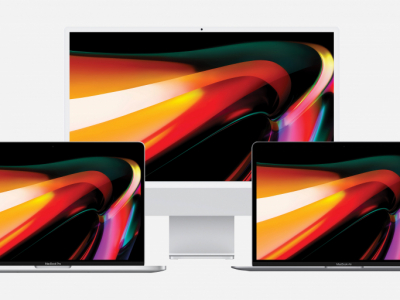


Comparison: MacBook Pro VS MacBook Air

MacBook Air or MacBook Pro: Which One Should You Choose?

You’ve decided to buy a MacBook. Apple’s laptops are renowned for their reliability, performance, and longevity, making them a smart long-term investment.

But when comparing models, one question always comes up: should you choose a MacBook Air or a MacBook Pro? While both share many similarities, they cater to different needs and use cases.

To help you make the right choice, we’ll explore the key differences between the MacBook Air and MacBook Pro, which use cases they’re best suited for, and how to pick the model that fits your needs.

MacBook Air vs. MacBook Pro Comparison

MacBook Air vs. MacBook Pro: What Are the Key Differences?

A refurbished MacBook Air and a refurbished MacBook Pro are both Apple laptops, but they’re designed for different purposes.

The MacBook Air is primarily built for mobility. It prioritizes a lightweight design, silent operation, and excellent battery life, making it ideal for students, professionals on the go, or everyday use.

The MacBook Pro, on the other hand, is performance-driven. It’s designed for demanding tasks like video editing, advanced photo retouching, software development, or running professional applications.

Here are the main differences between the two models:

FeatureMacBook AirMacBook Pro
Weight Ultra-lightweight and easy to carry Heavier but more powerful
Performance Great for everyday tasks Built for intensive workloads
Cooling Fanless design, completely silent Active cooling to sustain performance
Display Retina display with excellent quality Often brighter and more precise
Ports Limited connectivity More ports depending on the model
Price Generally more affordable Usually more expensive

The MacBook Air: A Lightweight Laptop Designed for Mobility

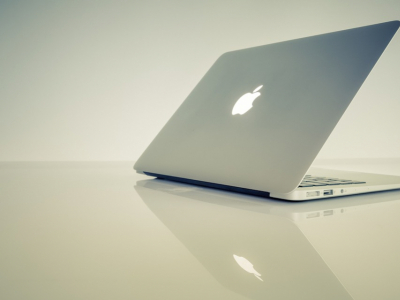
The MacBook Air is Apple’s ultra-portable laptop, built for maximum mobility. With its slim design, lightweight build, and long battery life, it’s perfect for daily use—whether at home, in the office, or on the go.

Its compact form factor makes it easy to carry in a backpack or briefcase. Recent models typically weigh around 2.7 to 2.8 lbs (1.2–1.3 kg), making it one of Apple’s lightest laptops.

The MacBook Air also runs fanless on models with Apple Silicon chips, meaning it’s completely silent—even during extended use. This makes it ideal for working in quiet environments.

[...]

The MacBook Pro: A Powerhouse for Demanding Workloads

The MacBook Pro is Apple’s most powerful laptop, designed for users who need high performance and a machine capable of handling resource-intensive applications for extended periods.

Unlike the MacBook Air, the MacBook Pro features an active cooling system with fans, allowing it to maintain peak performance even under heavy workloads. This is crucial for tasks like video editing, advanced photo retouching, 3D modeling, or software development.

Recent models come with Apple’s most powerful Apple Silicon chips, such as the M Pro or M Max, delivering exceptional processing power and efficient handling of professional applications.

The MacBook Pro also stands out with several hardware advantages:

  • A high-quality display, often brighter and more color-accurate
  • More ports and connectivity options
  • Superior speakers for better audio
  • An advanced webcam on newer models

MacBook Pros are available in multiple screen sizes, including 14-inch and 16-inch models, providing a more comfortable workspace for complex projects.

However, the MacBook Pro is generally heavier and more expensive than the MacBook Air. But for users who regularly work with resource-heavy software, the extra power and performance stability can make a significant difference.

MacBook Pro: Comparing Two Generations

[...]

FeatureMacBook Pro 2015MacBook Pro 2017
Processor Intel Core i5/i7 Intel Core i5/i7 (7th Gen)
RAM 8 GB (upgradable to 16 GB) 8 GB or 16 GB
Display Retina 2560 × 1600 Enhanced Retina
Graphics Intel Iris Graphics Intel Iris Plus Graphics
Ports 2 Thunderbolt 2, 2 USB 3.0, HDMI, SDXC Thunderbolt / USB-C
Additional Features Touch Bar + Touch ID
Weight 3.48 lbs (1.57 kg) Lighter

Which MacBook Should You Choose Based on Your Needs?

The choice between a MacBook Air and a MacBook Pro depends on your daily usage. Some tasks don’t require much power, while others demand a machine capable of handling resource-heavy software or large files.

For Students and Everyday Use

For students or users who primarily use their laptop for web browsing, note-taking, document writing, or video streaming, the MacBook Air is usually the best choice.

Its lightweight design, long battery life, and sufficient performance for productivity tasks make it perfect for classes, university work, or personal use.

Recent models with Apple Silicon chips also offer excellent responsiveness, allowing you to work with multiple apps open without slowdowns.

For Remote Work and Office Tasks

For users who mainly work with office applications, collaboration tools, video calls, or management software, the MacBook Air is more than sufficient in most cases.

It handles tools like Microsoft Office, Google Workspace, Slack, Zoom, and project management apps with ease.

Its silent operation, lightweight build, and long battery life also make it ideal for professionals who switch between office, home, and travel.

For Graphic Design or Video Editing

Professions involving content creation—such as photo retouching, video editing, graphic design, or multimedia production—typically require more processing power.

In these cases, the MacBook Pro is often the better choice. Its active cooling system, processing power, and advanced configurations allow for smoother workflows in apps like Adobe Photoshop, Premiere Pro, Final Cut Pro, or DaVinci Resolve.

The superior display on some models is also beneficial for professions requiring color accuracy.

For Software Development or Demanding Applications

Developers, engineers, or users working with resource-heavy software typically need a machine that can handle heavy workloads.

The MacBook Pro is usually recommended for these users, thanks to its processing power, efficient handling of intensive apps, and ability to maintain performance over long periods without slowdowns.

It’s particularly well-suited for:

  • Software development
  • Running virtual machines
  • Code compilation
  • Data processing
  • Using demanding technical tools

Opting for a model with more RAM and SSD storage can further enhance productivity for these tasks.

What Should You Compare Before Choosing Between a MacBook Air and MacBook Pro?

The MacBook Air typically offers excellent battery life, often around 18 hours depending on usage. The MacBook Pro also has great battery life, though it may be slightly shorter when running resource-intensive tasks.

Connectivity

Connectivity can also influence your choice.

The MacBook Air usually has limited ports, mainly Thunderbolt / USB-C and a headphone jack.

The MacBook Pro, however, often includes more ports, such as:

  • Multiple Thunderbolt ports
  • An HDMI port
  • An SD card reader

This is useful for connecting external displays, cameras, hard drives, or other peripherals.

Audio and Webcam

Both models offer good quality for video calls and media playback. However, the MacBook Pro typically has better speakers and a higher-quality webcam on newer models, enhancing the experience for online meetings and video consumption.

Why Not Consider a Refurbished MacBook?

Whether you choose a MacBook Air or a MacBook Pro, there’s a great way to save money while still getting a reliable machine: a refurbished MacBook.

A More Affordable Price

The biggest advantage is the price. A refurbished MacBook can cost up to 30–40% less than a new model, making it easier to get a high-performance Apple laptop.

A Wider Selection of Models

Refurbished options also give you access to multiple MacBook generations. This means you can find a MacBook Air or MacBook Pro with the right specs for your needs at a better price.

A More Sustainable Choice

Choosing a refurbished laptop is also a more eco-friendly decision. By extending the life of an existing device, you help reduce the environmental impact of manufacturing new products.

When purchased from a trusted refurbisher like Okamac, a refurbished MacBook can be a great alternative to new, offering a high-performance machine, a lower price, and a more sustainable approach.

MacBook Air or MacBook Pro: Our Recommendation

The choice between a MacBook Air and a MacBook Pro ultimately depends on your usage and performance needs.

The MacBook Air is the best choice for most users. With its lightweight design, silent operation, and great battery life, it’s perfect for students, professionals on the move, or anyone using their laptop for everyday tasks like office work, web browsing, or video calls.

The MacBook Pro, on the other hand, is better suited for users who need more power and consistent performance. It’s ideal for video editing, graphic design, software development, or running demanding professional applications.

Both models offer excellent build quality, long-term durability, and a smooth macOS experience, which is why they’re so popular among users.

Ready to upgrade? Check out Okamac’s wide selection of MacBook Air and MacBook Pro models, available in different configurations, screen sizes, and generations. Whether you need a lightweight laptop for mobility or a powerful machine for professional use, you’ll find the perfect MacBook for your needs.

Share this content